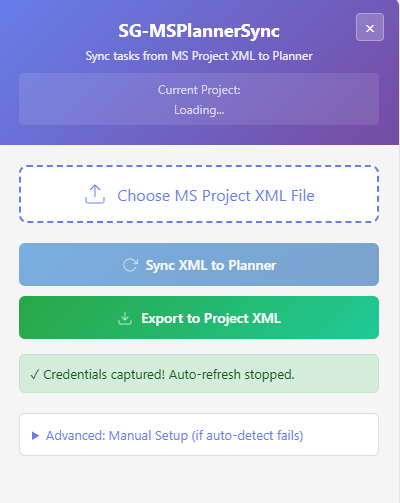
PlannerSync
Chrome Extension

PlannerSync

Bridge the gap between Microsoft Project and Planner.

Microsoft Project Online retired on 30 September 2026. Your team still runs on Project Desktop. PlannerSync keeps them connected — no servers, no hassle, no IT ticket required.

01 The problem

Planner is the future. Your plans still live in Project.

Microsoft has retired Project for the Web and Project Online. Your schedules, dependencies and resourcing are still in Project Desktop, and there's no built-in way to keep them in step with Planner.

Your team needs visibility in Planner. Your PMs need control in Project. Until now, the only option was copying tasks between the two by hand.

PlannerSync fixes that.Project Desktop ↔ Planner · No servers · No IT ticket

02 How it works

Three steps, and the first is a file you already have.

  1. 01

    Export your Project plan

    Save your Microsoft Project schedule as XML, a built-in feature you already have.

  2. 02

    Connect to Planner

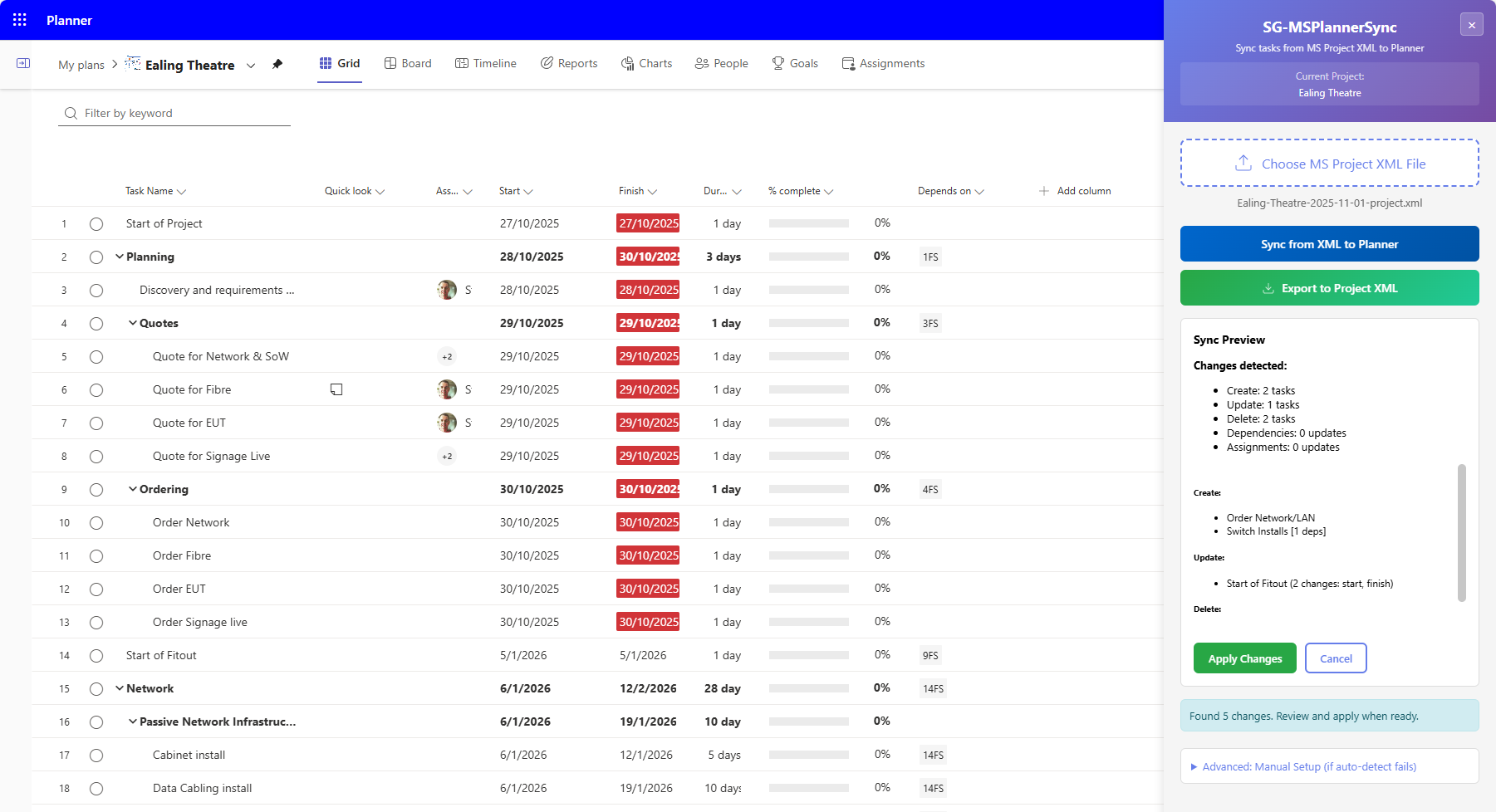
    PlannerSync connects to your Microsoft 365 Planner boards through your browser.

  3. 03

    Sync with confidence

    Preview every change before it happens: exactly what will be created, updated or deleted.

03 What it does

Project and Planner, kept in step.

04 Pricing

Free to try. One small subscription after that.

Free

Starter

Sync up to 10 tasks with every feature switched on. Enough to try it on a real plan.

Install Free

05 Coming in v2

PlannerSync v2: the same sync, without the XML.

v1 keeps working and stays supported while v2 is built.

06 Why PlannerSync

Built by an IT architect

Born from real frustration with the Microsoft Project ecosystem, by someone who's lived in enterprise IT and knows what PMs actually need.

Project Online has retired

Microsoft retired Project Online on 30 September 2026. If your organisation still runs Project Desktop alongside cloud tools, you need a bridge.

No lock-in

Your data stays yours. The extension needs no account, tracks nothing you do, and locks you into nobody.

07 Questions

Does this work with Planner Premium (formerly Project for the Web)?

Yes. PlannerSync works with both Planner Basic and Planner Premium plans.

Is my data safe?

All processing happens in your browser. No data is sent to any server. Your project data never leaves your machine.

Do I need admin permissions to install it?

No. It's a standard Chrome extension. Any user can install it.

Does it work with Edge?

Yes — Microsoft Edge supports Chrome extensions natively.

Does this still work now Project Online has retired?

Yes. PlannerSync syncs between Project Desktop (which Microsoft is keeping) and Planner. The Project Online retirement doesn't affect it.

What about v2?

v2 adds direct sync without XML export, plus a Project Desktop plugin. It's in early testing. v1 will continue to work and be supported.

08 Built with

Chrome & Edge extension · JavaScript · Microsoft Planner API · Project XML